
Emerald Chronometer1.4.1 - Google Play
You'll be able to see results in few seconds.
Publisher Description
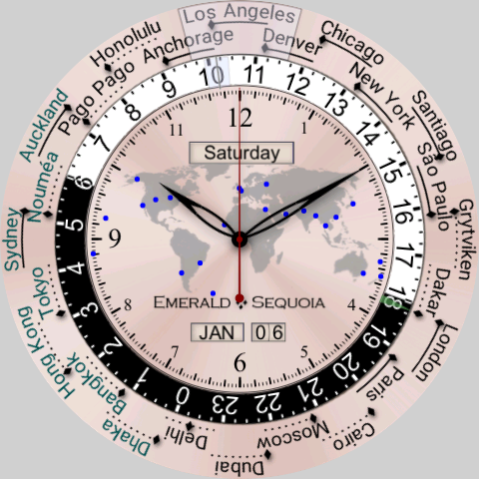
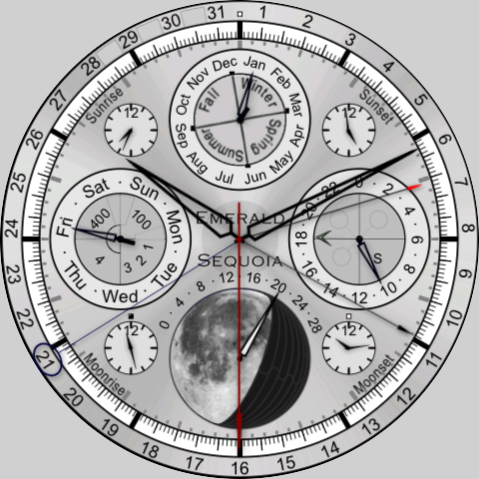
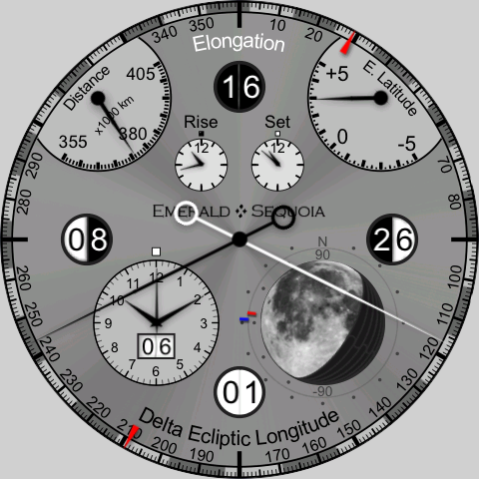
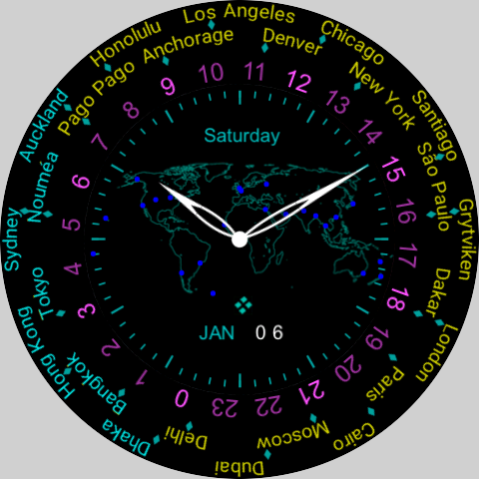
This app will no longer be available as of November 1, 2023, as Emerald Sequoia LLC is shutting down. Please see our blog post linked from our support page listed here.
See "Emerald Chronometer FREE" for a free demo of this app with an in-app purchase.
These 21 models of high-end analog mechanical watch faces contain many of the most complex "complications" found in real watches, plus refinements found nowhere else. All displays maintain the look and feel of real mechanical objects, but with the time and location accuracy of your online device.
Astronomy features:
- Highly accurate data that doesn't require network access
- Times of rise and set for the Sun, the Moon, and the 7 other planets
- The correct shape and orientation of the Moon in all phases but still using a mechanical display
- Relative positions of the Sun, Moon, 6 planets and the constellations of the zodiac
- "Compass functions" show the elevation and azimuth of the Sun, the Moon, and the 7 planets
- The Equation of Time, solar time and sidereal time
- Eclipse predictor (lunar node indicators and separation indicator)
- A unique face showing the rise and set times of all 5 classical planets plus the Sun and the Moon at once
Clock features:
- Day/date/month/year indicators, using mechanical wheels
- Local and UTC time
- Two world-time faces, one with 24-city ring on one side and the other with 4 subdials, both showing the time with correct DST offset at each location
- Calendar watch with rotating wheels showing a full month at a time
There are 21 faces in all, plus a demo face that shows all faces in an animated fashion.
A complete description of each application feature can be found in the built-in Help screens (viewable on your companion phone) and on the Emerald Sequoia LLC Web Site. A developer's blog may also be found at http://emeraldsequoia.com/esblog/ .
About Emerald Chronometer
The company that develops Emerald Chronometer is Emerald Sequoia LLC. The latest version released by its developer is 1.4.1.
To install Emerald Chronometer on your Android device, just click the green Continue To App button above to start the installation process. The app is listed on our website since 2022-11-05 and was downloaded 0 times. We have already checked if the download link is safe, however for your own protection we recommend that you scan the downloaded app with your antivirus. Your antivirus may detect the Emerald Chronometer as malware as malware if the download link to com.emeraldsequoia.chronometer.chronometer_pro is broken.
How to install Emerald Chronometer on your Android device:
- Click on the Continue To App button on our website. This will redirect you to Google Play.
- Once the Emerald Chronometer is shown in the Google Play listing of your Android device, you can start its download and installation. Tap on the Install button located below the search bar and to the right of the app icon.
- A pop-up window with the permissions required by Emerald Chronometer will be shown. Click on Accept to continue the process.
- Emerald Chronometer will be downloaded onto your device, displaying a progress. Once the download completes, the installation will start and you'll get a notification after the installation is finished.
Program Details
System requirements
Download information
Pricing
Version History
version 1.4.1
posted on 2022-11-05
Support latest development environment
version 1.3.1
posted on 2021-11-20
Fix searching for certain common cities in Terra & Gaia, e.g., San Francisco
version 1.2.1
posted on 2021-09-19
Support for Samsung Galaxy Watch 4
version 1.1.0
posted on 2020-02-05
New displays on Selene: rise/set, alt/az, days delineated in outer ring
version 1.0.4
posted on 2019-06-02
Fix startup crash on Tag Heuer Connected devices
Disclaimer
Official Google Play Link
We do not host Emerald Chronometer on our servers. We did not scan it for viruses, adware, spyware or other type of malware. This app is hosted by Google and passed their terms and conditions to be listed there. We recommend caution when installing it.
The Google Play link for Emerald Chronometer is provided to you by apps112.com without any warranties, representations or guarantees of any kind, so access it at your own risk.
If you have questions regarding this particular app contact the publisher directly. For questions about the functionalities of apps112.com contact us.
